Phone call transcription in the call center
From recording to usable text: methods, process, the limits of difficult audio and the cost of transcription with analysis. A guide for businesses and contact centers.

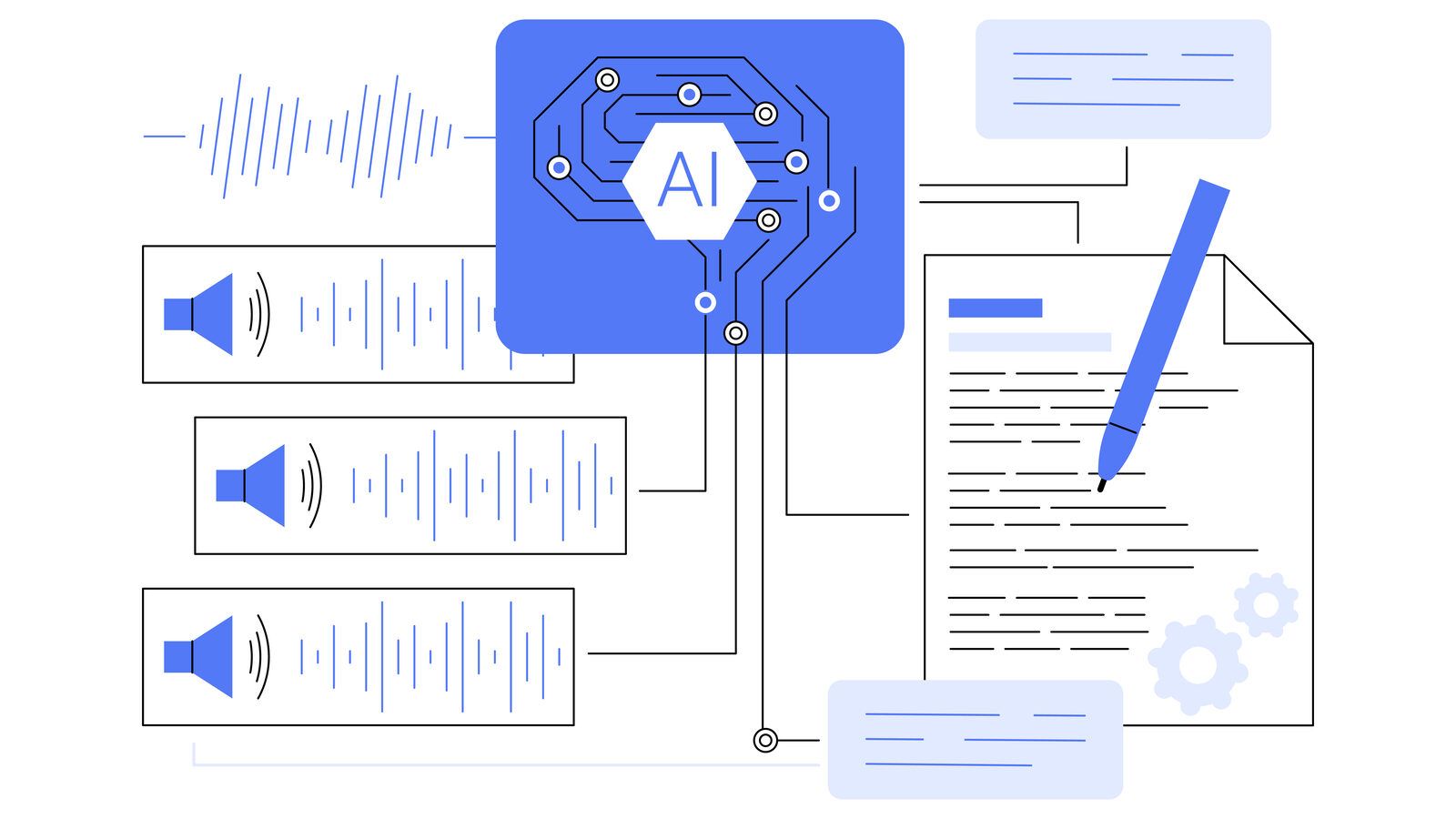
Phone call transcription turns what was said on a call into text, either manually or automatically with speech recognition. In a business setting, it usually also means linking the text to the recording, organizing the utterances and making the result accessible. A well-prepared transcript lets you go back to what was agreed, search for information and feed conversation analytics. It does not guarantee that every word is captured correctly, though, and it needs verification wherever a mistake matters.
This guide covers customer calls and contact center work: from getting the recording to the team actually using the text. A single recording can be worth transcribing too. With a larger volume of calls, however, what matters most is whether the whole process runs repeatably.
Key takeaways:
- The choice between manual, automatic and hybrid work depends on your goal, your volume and how much checking the text needs.
- Post-call means processing after the conversation ends; live captions or real-time prompts require a different way of working.
- Assess poor audio and background voices on real recordings before you run the full volume.
- In Inoro, one per-minute price covers both transcription and analysis.
- A recording, a transcript and a call note are different materials and should not be used interchangeably.
Recording, transcript and note: what do you actually get?
A recording preserves the audio, a transcript renders the utterances as text, and a note picks out the most important information. The distinction matters in practice when you need to establish exactly what the customer or the agent said.
A note might say “customer interested in the offer,” even though the caller only said they wanted more details. The transcript lets you check the actual wording. The recording also lets you listen to how it was said and check whether the text is accurate. This is an example of how to verify, not a description of a specific customer.
Verbatim or edited text?
A verbatim transcript preserves the flow of speech according to an agreed convention, including repetitions and broken-off sentences. An edited version improves readability. Before commissioning the work, agree on which elements may be smoothed out and whether the result will be used for reading, searching or assessing specific wording.
Automatic punctuation makes text easier to read, but it is not part of the original audio. For an important passage, go back to the audio rather than drawing conclusions from a comma, a sentence break or a generated summary alone.
Who said that sentence?
Speaker diarization organizes utterances by who is speaking. It is a separate task from recognizing the words: a correctly transcribed sentence can still be misread if it is attributed to the wrong person. That is why, when you review a transcript, you check both the text and the agent-customer split.
Manual or automatic transcription?
Match the method to the number of recordings, the turnaround time and the consequences of a potential error. There is no need to handle a single important call the same way as a daily stream of thousands of calls.
| Method | When to consider it | What to account for |
|---|---|---|
| Manual | Selected calls that need detailed treatment | Listening time, transcription convention, skills and quality control |
| Automatic | Regular processing of large numbers of recordings | Integration, audio quality, access to results and error checking |
| Hybrid | Automatic processing with human review | Rules for selecting passages to check and for applying corrections |
Automatic transcription uses ASR, or automatic speech recognition. The term speech-to-text describes the same core function: converting speech into text. A human can check selected passages, correct the text and judge whether the result is fit for its intended use.
How to plan human review
Review should cover both ordinary calls and difficult cases. If you only check the cleanest recordings, you may miss problems with background voices or overlapping speech. If you only check the hardest cases, you won’t get a picture of how the system performs day to day.
Separately, decide which passages need careful listening because of the decision you will make based on them. Confirming the terms of an offer or settling a disputed statement may require a different level of checking than an initial grouping of calls by topic.
Post-call or real-time transcription: when do you need the result?
Post-call transcription is produced after the call ends, while real-time transcription processes the incoming audio during the interaction. When the result needs to be available should follow from what the user is trying to do.
If a manager wants to find agreements later, check adherence to a standard or analyze contact reasons, a post-call process is useful. If an agent needs captions or support during the call, you need to evaluate a real-time solution and how it connects to your telephony.
These are different integration requirements: handing over a finished recording is not the same as exposing an audio stream from a live call. Nor should you assume that every tool that displays captions also keeps a permanent transcript afterward.
Inoro analyzes calls after they end. It does not record them, does not handle calls as a voicebot and does not replace your phone system. The entry point is the recordings made available from the system the company already uses.
What does the call transcription process look like in a call center?
The process covers getting the audio, preparing the recording, recognizing speech and assembling the utterances into usable text. In Inoro’s practice, the work starts from what the customer has actually handed over: recordings may already have separate agent and customer channels, or they may need to be split automatically. In both cases, the context of the conversation has to be preserved.
Recording and metadata → transfer → audio preparation and ASR → structured transcript → access and use.
The two variants below describe materials we encounter in Inoro deployments. They are not a comparison of results between two customers.
| Material handed over to Inoro | What it changes in the process | What to check in the result |
|---|---|---|
| The recording has an agent-customer split | The split is already available at input; the remaining work is handling audio quality and assembling the text | Whether the utterances kept the right order and context |
| The recording has no such split | Inoro performs the split automatically as part of its processing | Whether utterances were attributed to the right people and joined correctly |
Background voices can make the work harder in either variant. That is why “we have two channels” does not, on its own, finish the preparation for transcription. In Inoro, the tools for handling difficult audio and separating utterances are parts of a single process that leads to the text of the conversation.
1. Identify the audio source and the scope of calls
Start by checking where recordings are created: in the phone system, a call recorder or another part of the call center environment. Also establish which calls are available and whether each file covers the whole interaction or only part of it.
Inoro accepts MP3, WAV and other audio formats. The file extension alone does not describe all of a file’s properties, however. The codec determines how the audio is encoded, and the sample rate is the number of audio samples recorded per second. At the preparation stage, it’s worth preserving the source parameters and agreeing on the processing requirements.
Google Cloud’s documentation recommends, among other things, correctly specifying the encoding and the native sample rate. These are recommendations for a specific engine, but they illustrate well why a file name is not enough to assess the input. Source: Google Cloud Speech-to-Text.
2. Hand over the recording together with an identifier
The audio transfer should make it possible to link the transcript to the right call later. Depending on the process, you may need a recording ID, date, campaign or agent identifier. The scope of data is agreed for the specific use case.
Inoro provides an API, an interface for communication between systems. During deployment, we agree on how recordings are retrieved and which metadata is needed. You don’t need to replace your whole telephony system for this, but you do need to check what can actually be exported from it.
When handing over material, it’s worth keeping any available timestamps and the agent-customer split. In Inoro’s experience, some customers already provide these. Checking the input shows what can be used and which split has to be done on the analysis side.
3. Test difficult audio before processing the whole pool
In Inoro’s experience, poor recording quality and background voices are common problems. Recognizing the words is then only part of the job. You also need to make sure that speech from bystanders is not blindly merged into the conversation between the customer and the agent.
Inoro uses audio processing tools and a pipeline that can reduce or remove background voices, separate utterances and assemble the transcript while preserving context. That does not guarantee that every word can be recovered from an arbitrarily bad recording. The result is assessed on the material the organization actually sends.
That’s why it pays to include awkward recordings in the first check: quiet ones, ones with background conversations and ones without a ready speaker split. The goal is to learn the limits of the process before using it more widely, not to get a good result on carefully selected examples only.
4. Structure the text, speakers and timing
After speech recognition, the result has to be arranged so that the flow of the conversation can be reconstructed. An utterance segment, a speaker label and a timestamp help tie the text to the right point in the recording. Check their availability and how they are presented when you accept the solution.
Materials handed over to Inoro often already include timestamps and separate audio channels, meaning separate audio tracks for the agent and the customer. When the split is missing, Inoro performs it automatically. A key goal of the whole process is to reassemble the utterances into a coherent flow so that the context of the conversation isn’t lost.
In this approach, the goal is not two separate sets of agent and customer sentences. What you need is text in which you can follow their exchange. When checking the result, walk through a question-and-answer passage: are the speakers attributed correctly, and does the order make it clear what the answer refers to?
5. Define access, retention and downstream use
The transcript should land where an authorized person can find and use it. Before launching the process, decide who the recipients are, which connections to other data you need and how long data will be kept.
Retention is the period for which data is stored. In Inoro, the default is 90 days; a shorter or longer period is agreed individually. The available API and integrations with Power BI, Tableau and Apache Superset let you use analysis results in your own environment. The specific transcript export format and the set of fields passed on are worth agreeing separately, rather than assuming them from a general statement about integration.
How do you transcribe a call on a phone?
On a phone, first distinguish live captions from a saved text of the call. Features with similar names may do different things and have different limitations by device, language or app.
Google Live Transcribe converts captured speech and sounds into text. Live Caption, on the other hand, can display captions for calls on supported phones. According to Google’s documentation, Live Caption captions are processed on the device and are not saved, so they should not be treated as a transcript archive. Live Transcribe, Live Caption.
If you have a single audio file, you can try a tool that converts it to text. Pay attention to export options, limits and how data is processed. In a business, further requirements come into play: automatic transfer of recordings, permissions, retention and linking the result to the call. A feature that is useful during a single call will not necessarily meet these needs without additional integration.
What can you use customer call transcription for?
Transcription makes utterances readable and searchable, and when combined with analysis it supports quality assurance and the detection of recurring topics. It’s worth separating the text itself from the conclusions drawn from it.
Finding information and checking agreements
Text makes it easier to find a call about a specific problem or product. Instead of listening to an entire recording just to locate a topic, you can narrow down the material to check. For an important passage, it’s still worth comparing the text with the recording.
Quality assurance against defined criteria
Auto-QA, or automatic quality assessment, requires criteria described in a scorecard. The transcript provides material for checking whether required information was given or whether the agent announced a hold. The mere presence of text, however, is not yet a quality assessment.
Sales signals and contact reasons
In Inoro, you can check whether promotions and products that the call process calls for were mentioned. This is a confirmed example of using the content to report in how many calls a given element appeared and in how many it was missing. The next step, interpreting the omission and changing the process, belongs to the team responsible for sales.
Intent classification organizes contact reasons, and sentiment analysis provides information about the tone of utterances. These results also need to be checked in context. An error in the text or in speaker attribution can affect the downstream assessment.
We describe these use cases on the page about call transcription with Inoro analysis. The system processes the entire pool of recordings it receives, post-call. Covering that pool does not mean being error-free, nor does it give access to calls that weren’t shared.
How much does phone call transcription cost?
The cost depends on the number of minutes and the scope of the service: transcription alone, additional verification, or transcription combined with analysis. When comparing offers, make sure you are comparing the same outcome.
Inoro charges per analyzed minute, and that one price covers both transcription and analysis. It is not a price for speech-to-text conversion alone. The rate depends on your monthly call volume, and we quote it on request.
For manual work, check the billing unit: a minute or hour of recording, a page of text, or working time. An hour of audio and an hour of a transcriber’s work are not the same thing. In a hybrid model, also account for the cost of review and corrections.
Before ordering, clarify how minutes are counted, any minimums, taxes and the scope of implementation. A list like this lets you compare terms without guessing market price ranges and without attributing savings to analysis that haven’t been measured yet.
What transcription won’t solve on its own
Transcription cannot reliably recover information that can’t be recognized in the source, nor can it replace checking an important conclusion. Poor audio, background voices and overlapping speech have to be factored in when judging whether the result is usable. In this guide, we don’t give a universal accuracy percentage: what matters is the quality of the material and the kinds of errors that are important for a given use. We cover how to measure accuracy with WER, CER and LER and how to test it on your own recordings in the article automatic call transcription: accuracy and language support.
In the Inoro process described here, the quality of the result has to be judged as a whole: whether the relevant speech was separated from the background, the speakers were attributed correctly and the meaning of the exchange was preserved. A readable rendering of individual words alone doesn’t answer all of these questions.
Recording a call and later processing its content require an assessment of the purpose, the legal basis and the obligations toward the people whose data is involved. Having access to a file does not replace that assessment, and retention should match a legitimate purpose. Source: data processing principles, European Commission.
Call transcription deployment checklist
It’s worth signing off a deployment by checking the entire process, from the source file to the team using the text.
- Goal: who uses the result, and what decision should it make easier?
- Scope: which calls are processed, and which stay out?
- Audio: have ordinary and difficult recordings been tested, including background voices?
- Linking: can each transcript be matched to the right call?
- Structure: do the speaker split, utterance order and available timestamps help with verification?
- Review: which cases does a human check, and what happens when an error is found?
- Access: where does the result go, who sees it and how long does it stay available?
- Cost: what does the rate include, and how is volume counted?
In Inoro, go-live with standard reports can happen in as little as one day after the data is handed over and the recordings are connected. Refining criteria and additional reports usually takes two one-week sprints. The technical start and fitting the solution to the team’s work are two stages worth planning separately.
Frequently asked questions
What is phone call transcription?
It is a written record of what was said on a call, prepared manually or automatically. It may include a speaker split and timestamps. It differs from a note, which picks out the key agreements, and from a recording, which preserves the audio and lets you check the accuracy of the text against its source.
How do you transcribe phone calls in a business?
Start with the recordings you have and the purpose of the text. Then decide how files will be handed over, run speech recognition, check the text and the speaker split, and make the result accessible. Before wider use, assess real calls, including difficult ones, and set rules for error checking and data retention.
What is the difference between transcription and call recording?
Recording captures the audio, while transcription turns utterances into text. A system may do one or both, so you need to check the scope of the specific product. Inoro does not record calls: after they end, it processes recordings made available from the company’s existing environment and produces transcription and analysis from them.
How much does phone call transcription cost?
The price depends on volume and the scope of work, including human review and additional analysis. In Inoro, one per-minute price, quoted on request, covers transcription and analysis. When comparing offers, also check billing rules, taxes and implementation terms.
Is there free call transcription software?
There are tools with free access or a free tier, but check whether they produce a saved transcript or only live captions. Google Live Caption, for example, does not keep captions. For business use, also assess export, integration, permissions and retention; free access doesn’t settle those requirements. Google documentation.
Is a call transcript reliable?
It can be useful material, but don’t assume every passage is correct. Test the result on your own recordings, especially with poor audio and background voices. Both the words and their attribution to a speaker matter; verify important or disputed statements by listening.
Test the process on your own recordings. See how call transcription in Inoro works and book a call to discuss your audio quality, integration options and how to use the results in your company.